How fit is explained
Why does Portage explain fit in words instead of a score?
You are searching as your Digital Health Software Engineer profile and have opened a Doctolib posting in Berlin. A single percentage would hide what you need to know: which parts of the job you already match, which you do not, and which nobody has stated. Portage shows fit one dimension at a time, and quotes the posting for every line.
Read the fit panel
Open a job from Jobs. Near the top of its details, Fit for this profile sums up each dimension in a word.
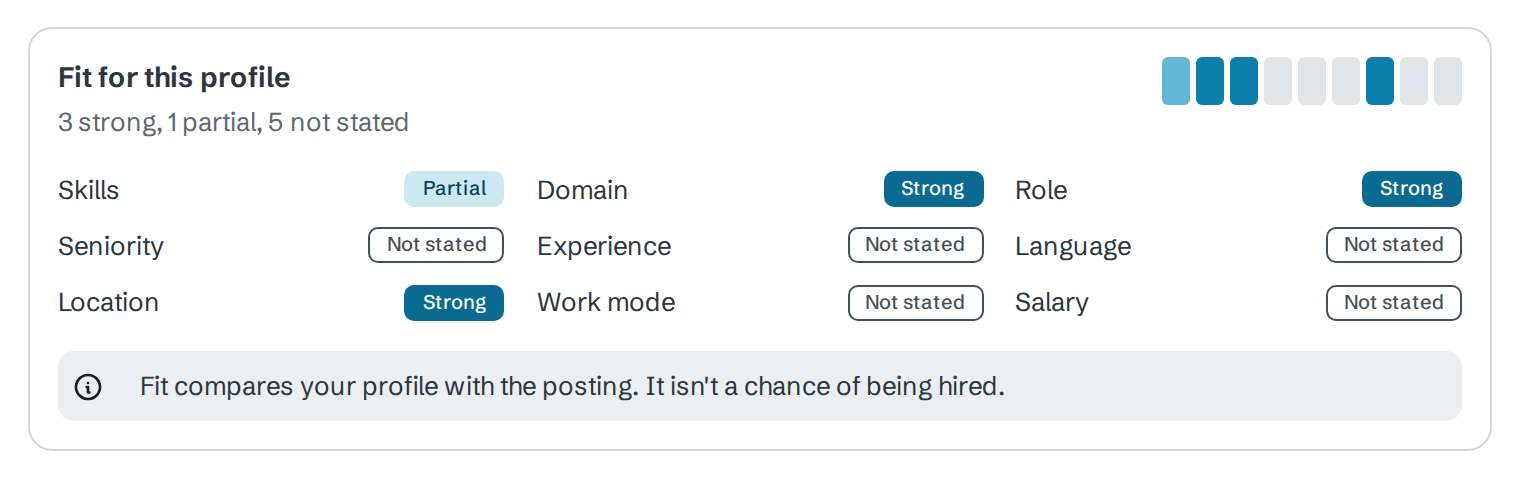
The nine dimensions are Skills, Role, Domain, Seniority, Experience, Language, Location, Work mode and Salary. The strip at the top right has one segment for each, in that order, and the same strip appears in the Fit column on Jobs.
| Level | Meaning |
|---|---|
| Strong | Your profile clearly matches what the posting asks |
| Partial | Some of it matches |
| Weak | Little of it matches |
| Gap | The posting asks for something your profile does not have |
| Not stated | The posting or your profile does not say, so Portage cannot judge |
Hover over a dimension for a one-line summary. If an employer, industry or country you excluded in your profile's Preferences applies, the details say Ruled out by your preferences.
Why words and not a score
A score would treat "not stated" as a number and blend a strong skills match with a missing language into one figure that looks precise. Portage keeps them apart so you can see that a job is, say, strong on skills but silent on salary. It also says under the panel: "Fit compares your profile with the posting. It isn't a chance of being hired."
See the evidence
The Why this job tab lists every statement behind the panel in three groups: Where you fit, Gaps to consider and Not stated or not assessed. Each line names its dimension, the profile entry it rests on, and the sentence from the posting in quotation marks.
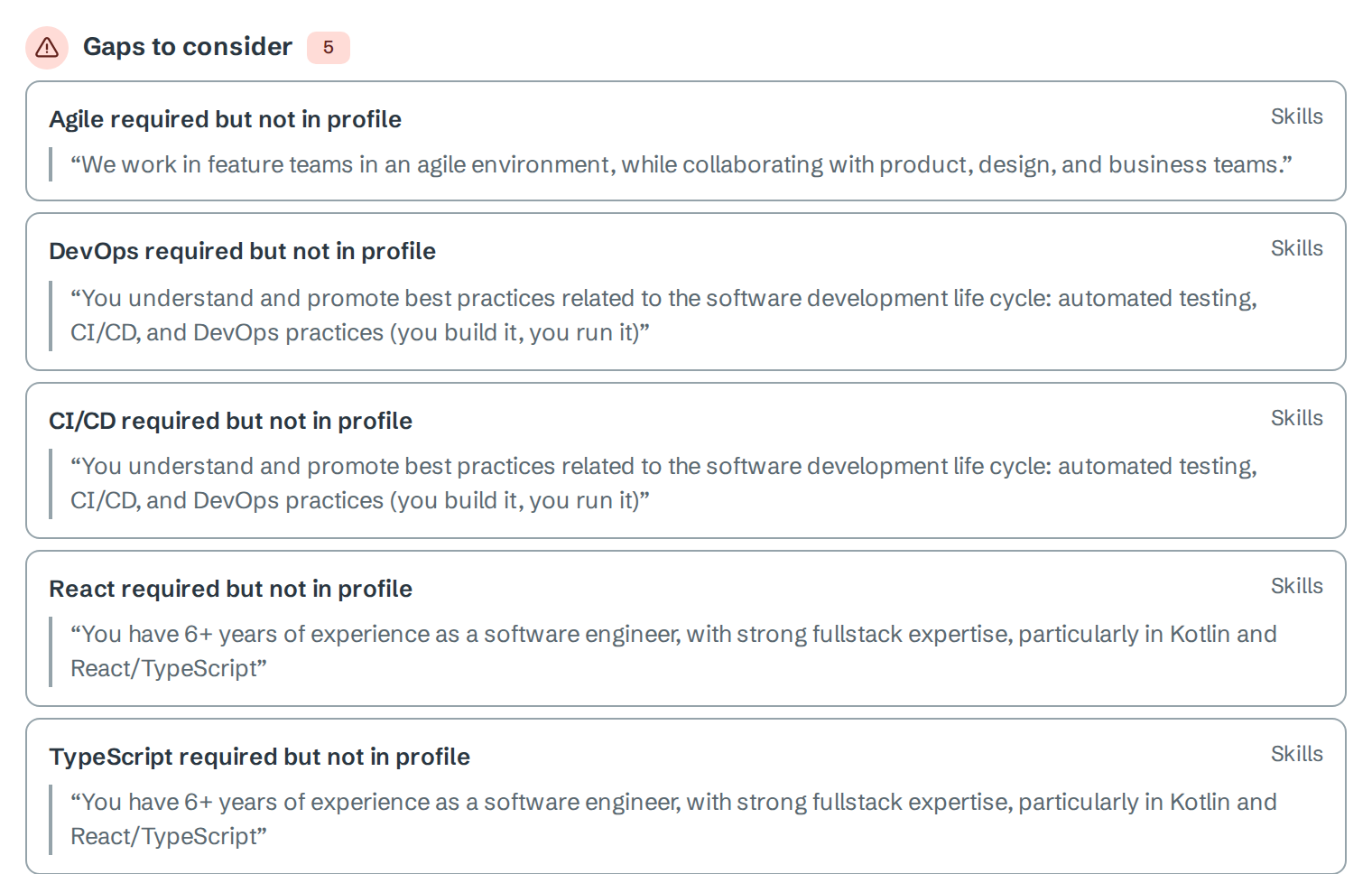
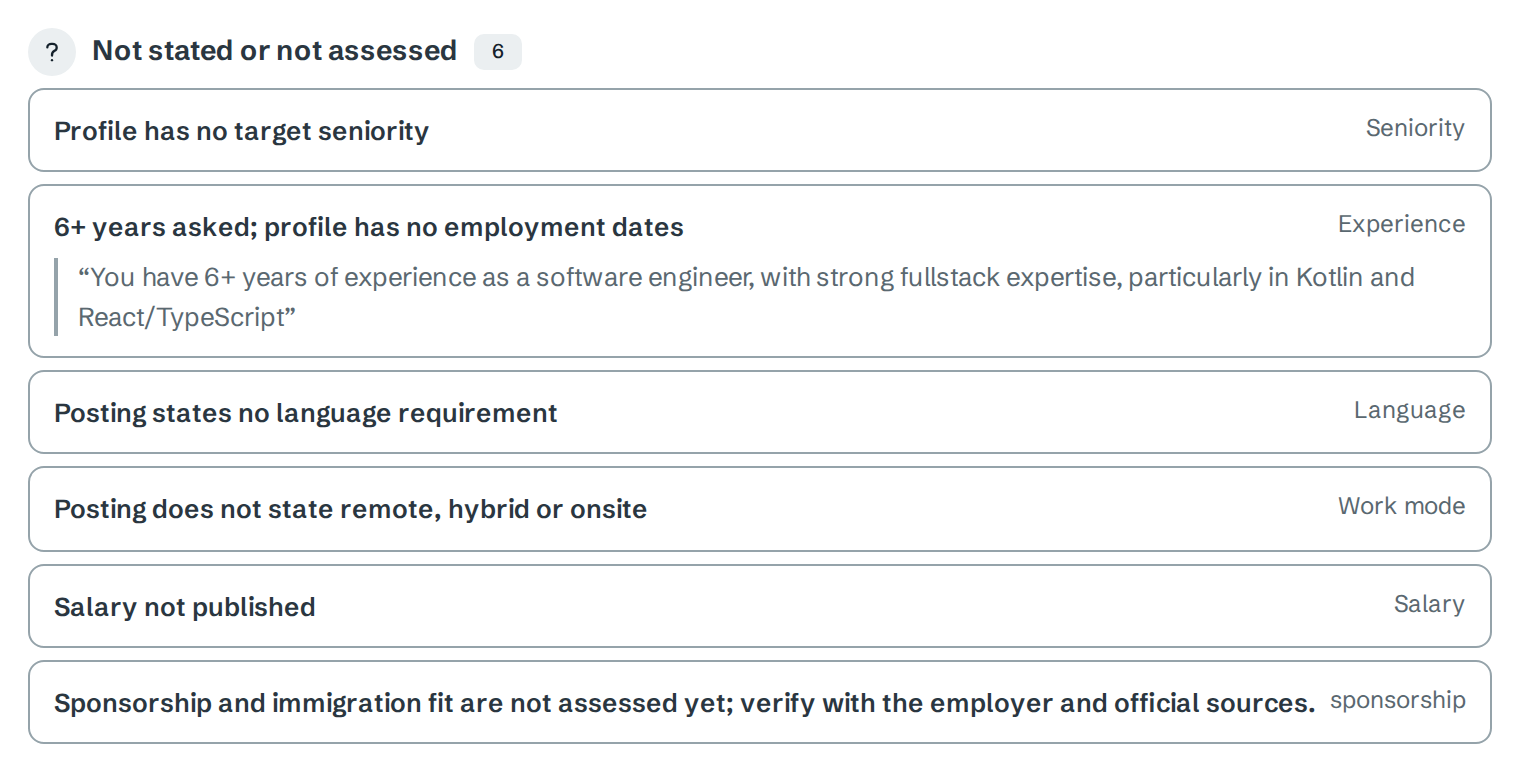
Not stated or not assessed often points at your own profile. Here, adding employment dates would let Portage judge the 6+ years the posting asks for. After you change the profile, select Refresh matches on Jobs to match again.
The Requirements tab lists each requirement read from the posting with its match and the quote it came from. A requirement marked AI read was read by AI, and Portage keeps it only because its quote appears in the posting.
Change what matters to you
Fit is the same however you rank jobs. What changes is the order. In your profile, open Preferences and set the Match weights: how much each dimension matters, from 0 (ignore) to 5. Best fit on Jobs and Best fits right now on the dashboard follow these weights.
Next
- Rank your queue to order jobs by more than fit
- Sign up and build your profile to fill in what is not stated
- Read an eligibility check for visa fit