Countries and routes
Which countries and visa routes are covered?
You are searching as your Digital Health Software Engineer profile, aiming at Australia, Germany, Ireland, New Zealand and Canada. Before you spend time on postings, you want to know which visa routes Portage can check in each country, and how much it does not know yet.
Routes Portage checks
Portage ships with these routes, each researched from official government pages and quoted rule by rule.
| Country | Routes |
|---|---|
| Australia | Skills in Demand visa (subclass 482) – Core Skills stream; Skilled Independent visa (subclass 189) – Points-tested stream |
| Canada | Express Entry – Federal Skilled Worker Program |
| Germany | EU Blue Card; Skilled worker with vocational or academic training (Sections 18a and 18b AufenthG); Opportunity Card (Chancenkarte) |
| Ireland | Critical Skills Employment Permit; General Employment Permit |
| Netherlands | Highly Skilled Migrant (kennismigrant); EU Blue Card |
| New Zealand | Accredited Employer Work Visa; Skilled Migrant Category Resident Visa |
| United Kingdom | Skilled Worker visa |
For any other country, your workspace can add its own routes, described below.
See your countries
In the sidebar, open Countries. It shows a card for each target country of the active profile. To add a country, add it to the profile's Targets; the Free plan allows three.
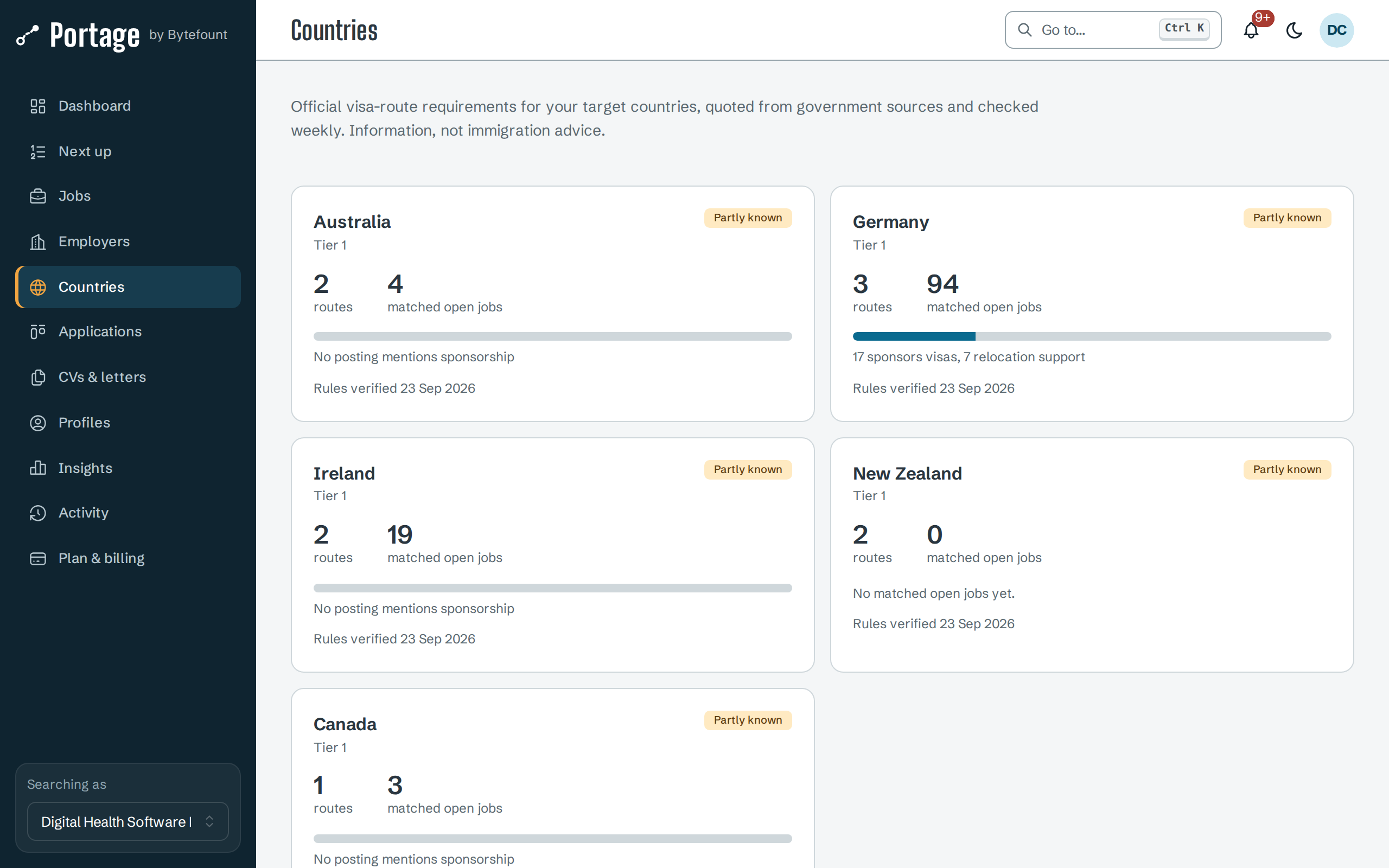
Each card shows:
- How much Portage knows: Partly known when Portage has routes for the country, Your routes when your workspace added one, and Not known when there are none.
- The number of routes and matched open jobs, and for the UK and the Netherlands the number of licensed sponsors on the official register.
- A bar of matched jobs by what their postings say about sponsorship.
- When the rules were last verified, or No rules configured. If the official page no longer quotes some rules, the card adds how many may be out of date.
Open a country
Select a card to open the country.
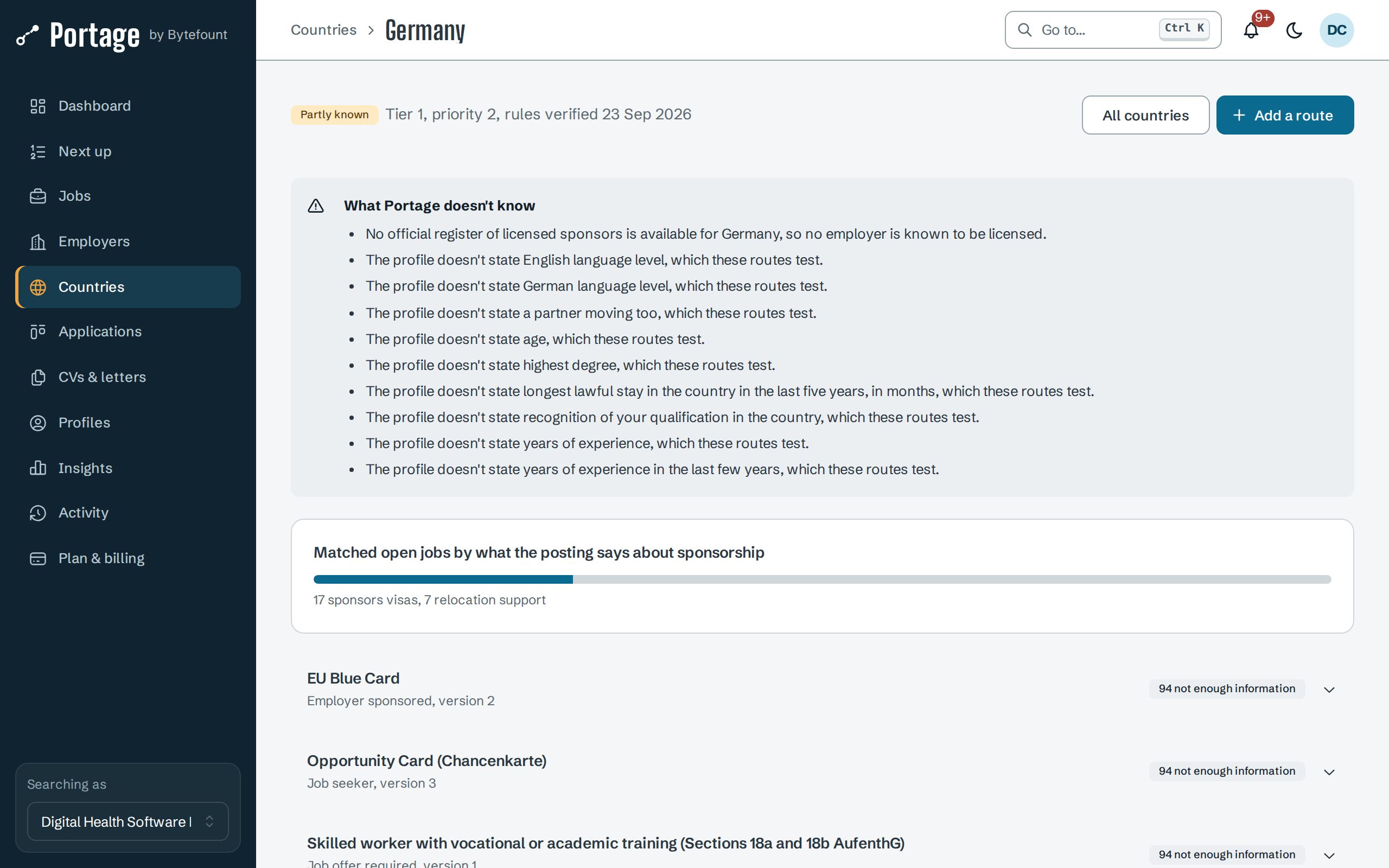
- What Portage doesn't know lists the facts the routes test that your profile does not state, and whether an official sponsor register exists for the country.
- Each route shows its type, rule version and how many of your matched jobs reach each outcome. Select it to see every rule with the official text it quotes, the value tested, and the source.
The page ends with a reminder that routes are not legal advice: confirm with the government source or a registered adviser before you rely on them.
Add your own route
When Portage has no route for what you need, your workspace can describe one.
- On the country page, select Add a route.
- Enter a Name and choose the Type, such as Employer sponsored or Points based.
- Under Requirements (all must hold), choose a Fact, a Test and a Value for each rule. Add requirement adds another.
- Enter the Official source, the government page the rules come from, and any Notes.
- Select Add route.
Your route is checked against jobs like the others and is marked added by your workspace. To change it, select New version; to stop using it, Close route. Adding or changing routes needs the Owner, Admin or Editor role.
Next
- Read an eligibility check for one job against these routes
- Sponsor registers to check an employer's licence
- When a rule changes for out-of-date warnings